Every permit, start to finish. One machine-learning workflow tool.
Permits2Go is a permit tool and project tracker that handles the whole application — every type of municipal permit and approval, plus business licences — from your first project description through to city approval.
Describe the project in plain language and machine learning finds and fills the right municipal forms and checks your drawings against the city's submission requirements. Collect client signatures and submit to the city from the same workspace.
Then manage the project from one place: a permit tracker with pipeline status, deadlines, fees and assigned reviewers; city review comments with drafted responses; site inspections and their deficiency lists; team notes; and a dedicated email address for every application that files verifications, city comments and reviewer replies against the right job. All tracked on a single dashboard.

Features
Everything you need to take a permit from first description to final approval.
Dedicated Application Inbox
Every application gets its own unique email address — sign in to city portals with it and use it on all correspondence, so portal verifications, emails, documents and notifications are logged against the right job automatically.
Read the guide →Conversational Intake
Just describe your project naturally — conversational machine learning extracts permit data from plain language instantly. No complex menus required.
Read the guide →Form Discovery & Uploads
Automatically identifies the municipal forms and drawings your project needs, lets you upload your own custom documents, and batch-renames drawings — find & replace, prefixes, casing — with uploaded files renamed to match.
Read the guide →Auto-Analyze with Machine Learning
Instantly check drawings and blueprints against your municipality's permit submission requirements — north arrow, title block, scale, professional stamps and signatures — so nothing gets bounced at intake. It's a submission check, not a building code review.
Read the guide →City Submissions
Deliver complete permit packages by email, named to each city's standards — or let our automation agent submit directly to municipal portals (beta).
Read the guide →Send for Signature
Send forms to your clients for signature and collect approvals without leaving the platform.
Read the guide →Automated Reviewer Calls
Our voice agent phones city reviewers for you — status updates and questions about your forms, drawings, or review comments.
Read the guide →Review Comment Responses
Auto-generate responses to reviewer comments and email them straight to your city (AHJ) reviewer, right from the application.
Read the guide →Dashboard
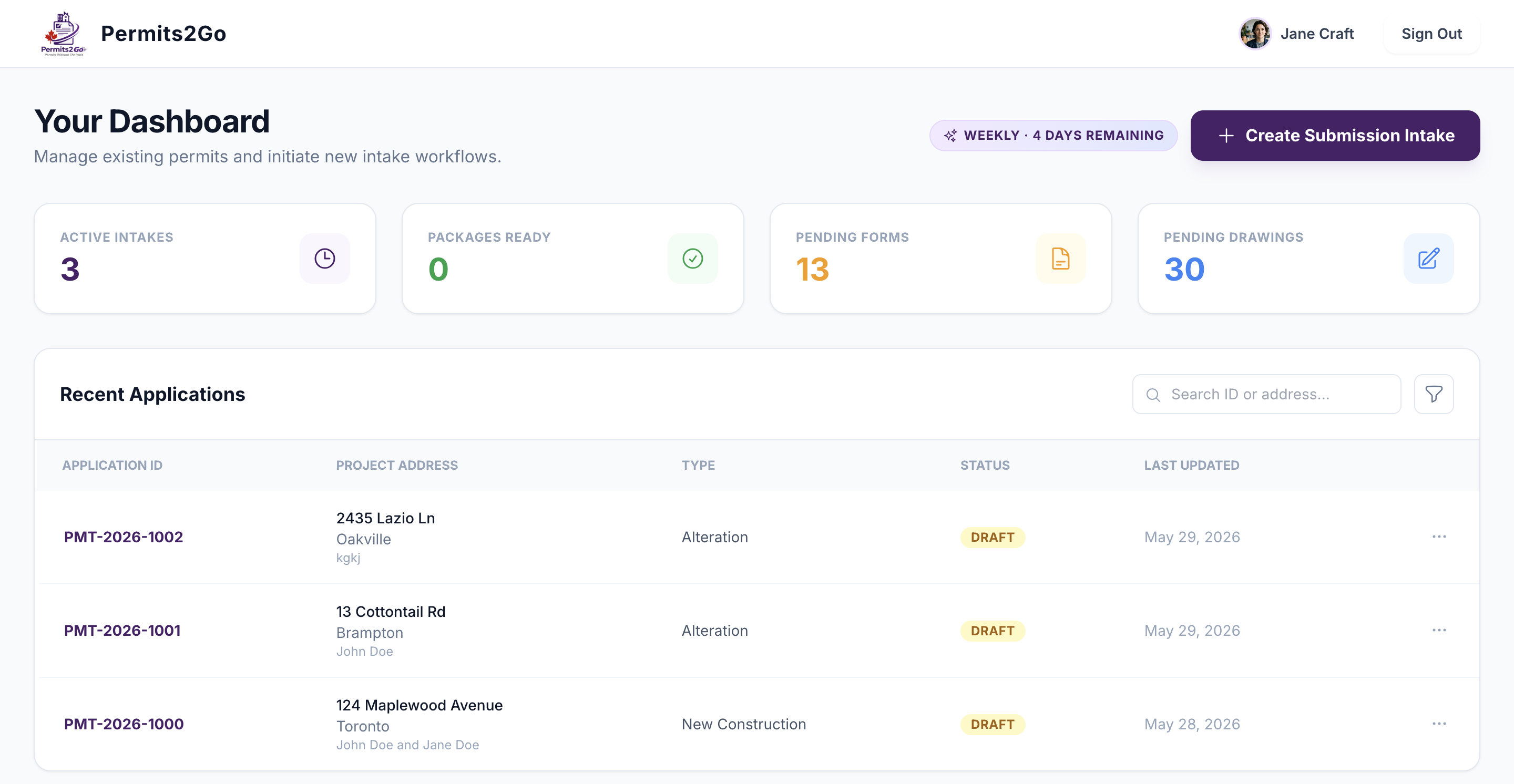
Track status, invoicing, and municipal comms for every application in one place, with live metrics for what is still outstanding — pending forms, pending drawings, and documents ready to go.
Read the guide →Notes
A per-application notes tab your team writes to as the file moves — pinned notes, attachments, full edit history, and the option to share selected notes with your client or email them straight out.
Read the guide →Site Inspections
Track every city site visit per application — who is coming, what passed, and the deficiency list you tick off before the re-inspection. Add a visit straight to your calendar, or email the record to the trades who have to fix it.
Read the guide →Auto-Filled Permit Forms
Government PDFs arrive already filled in from your project details, ready to review, edit and sign in the browser — so you are correcting a draft instead of typing the same address onto a dozen forms.
Read the guide →From project description to approved permit — in 4 steps
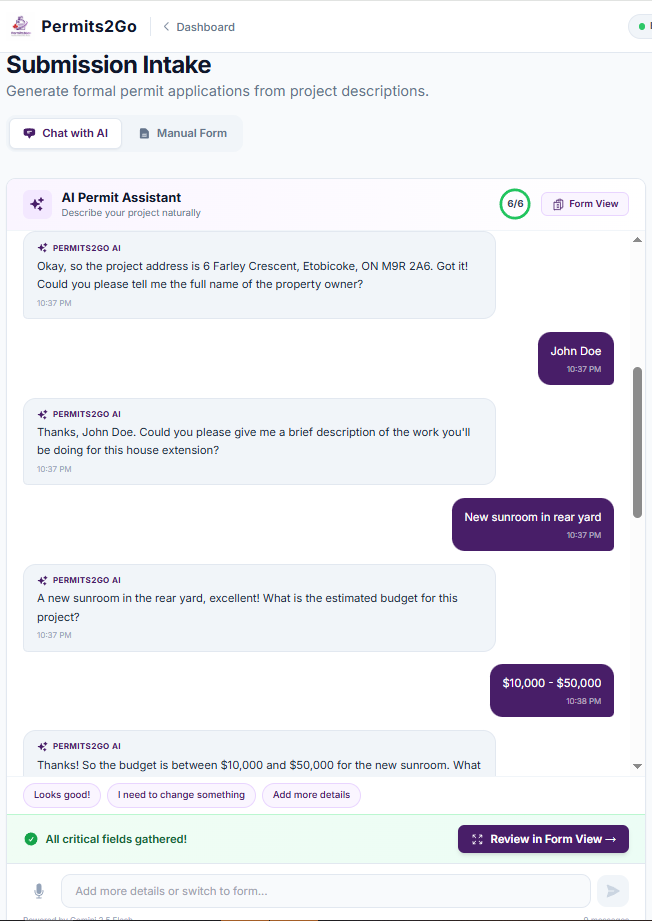
Describe your project
Just chat naturally — our intake assistant identifies exactly what forms and drawings you need for your city.
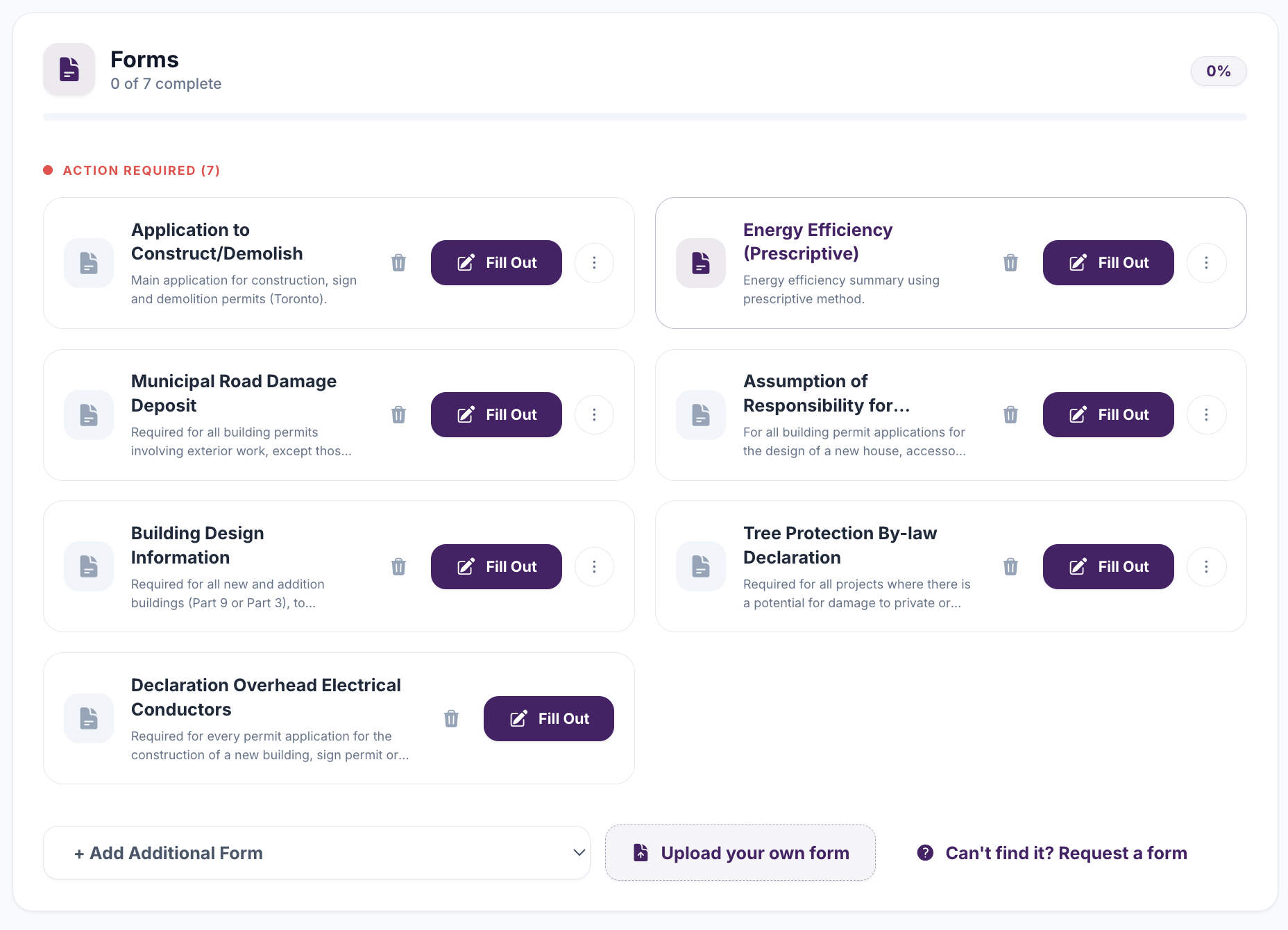
Build the package
Permits2Go matches your project to the exact forms, schedules and drawings your city requires, then fills them in from what you described — ready for you to review.
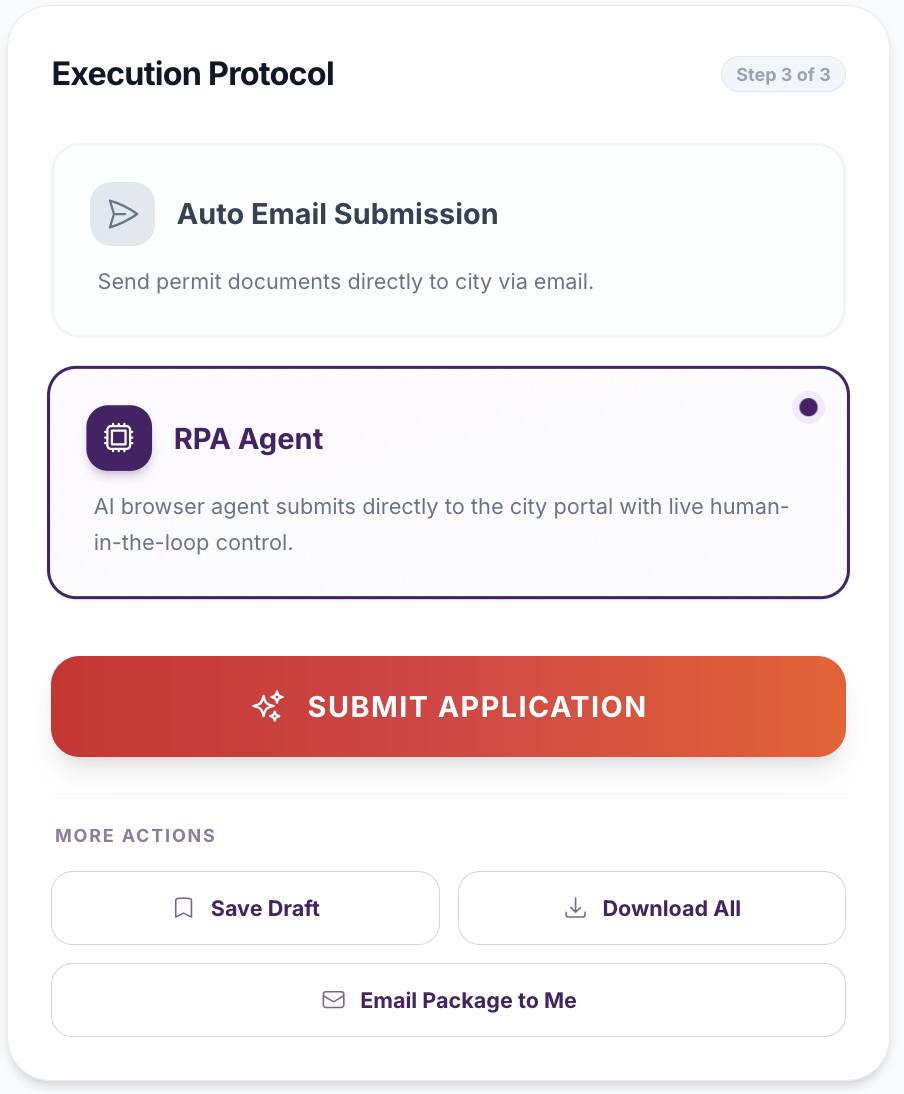
Sign and send it to the city
Collect your client's signatures, then deliver a complete, municipality-ready package — by email or straight into the city portal.
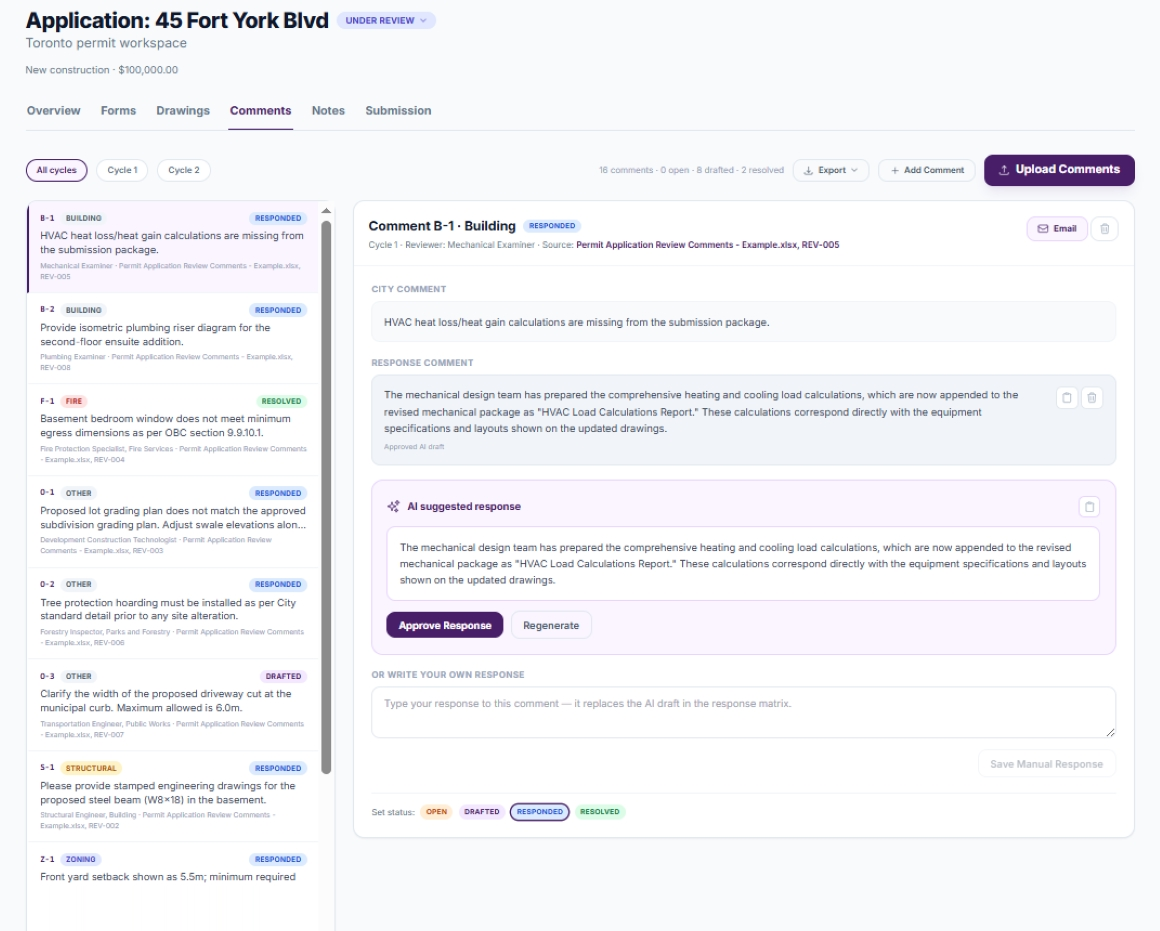
Work the review to approval
Submitting is the halfway point. Keep the file moving from one dashboard — chase the reviewer, answer the comments, and see what is owing and what is overdue.
Every application, managed in one place
Run each permit from intake to approval on one dashboard — forms, drawings, city comments and deadlines all filed against the application they belong to, instead of scattered across email threads and portal logins.
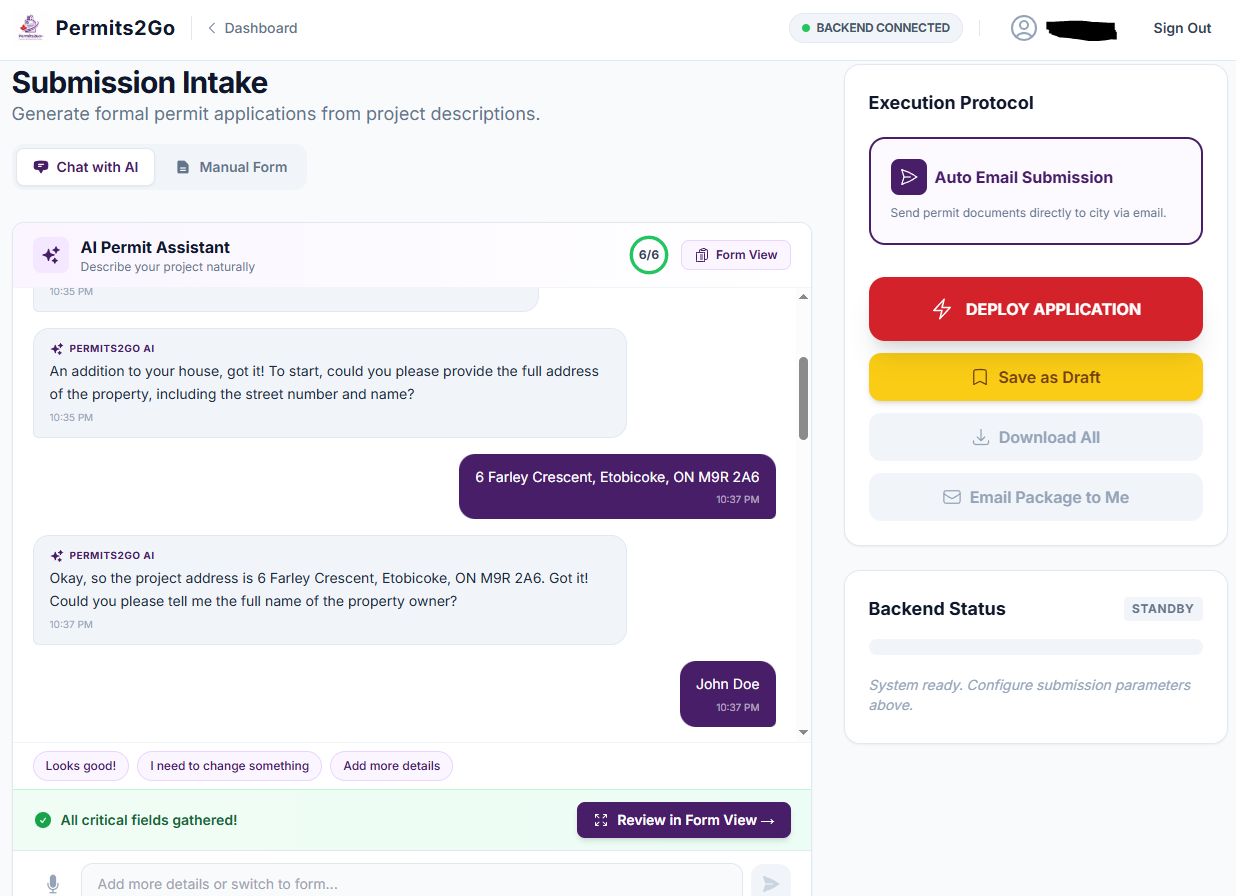
Intelligent intake
Conversational machine learning extracts permit data from natural language instantly.
Dashboard
Active permits, current status, outstanding tasks, and deadlines in one view.
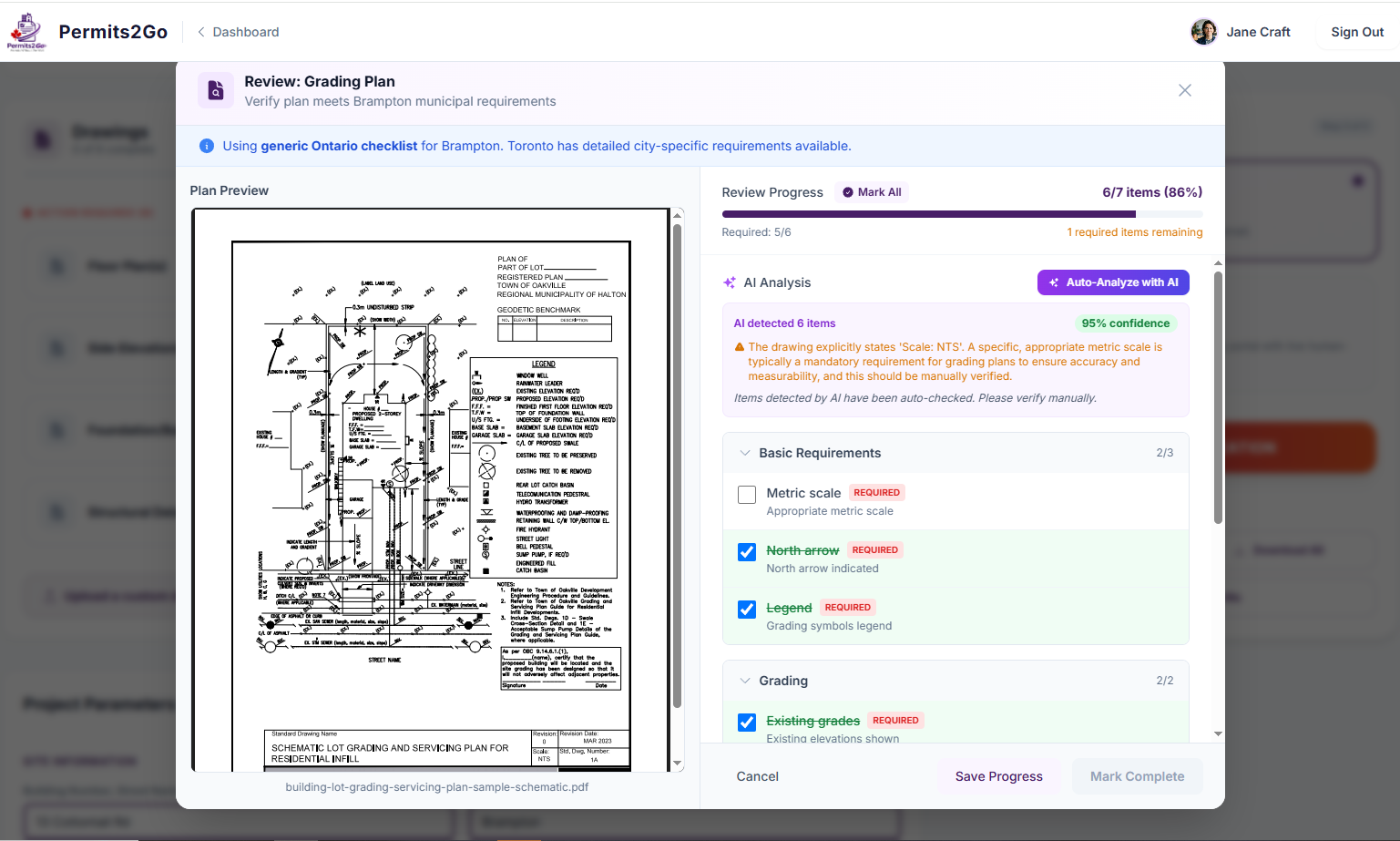
Your drawings, reviewed by machine learning
Drawings are scanned against city requirements — detected items are auto-checked, grouped, and confidence-scored.
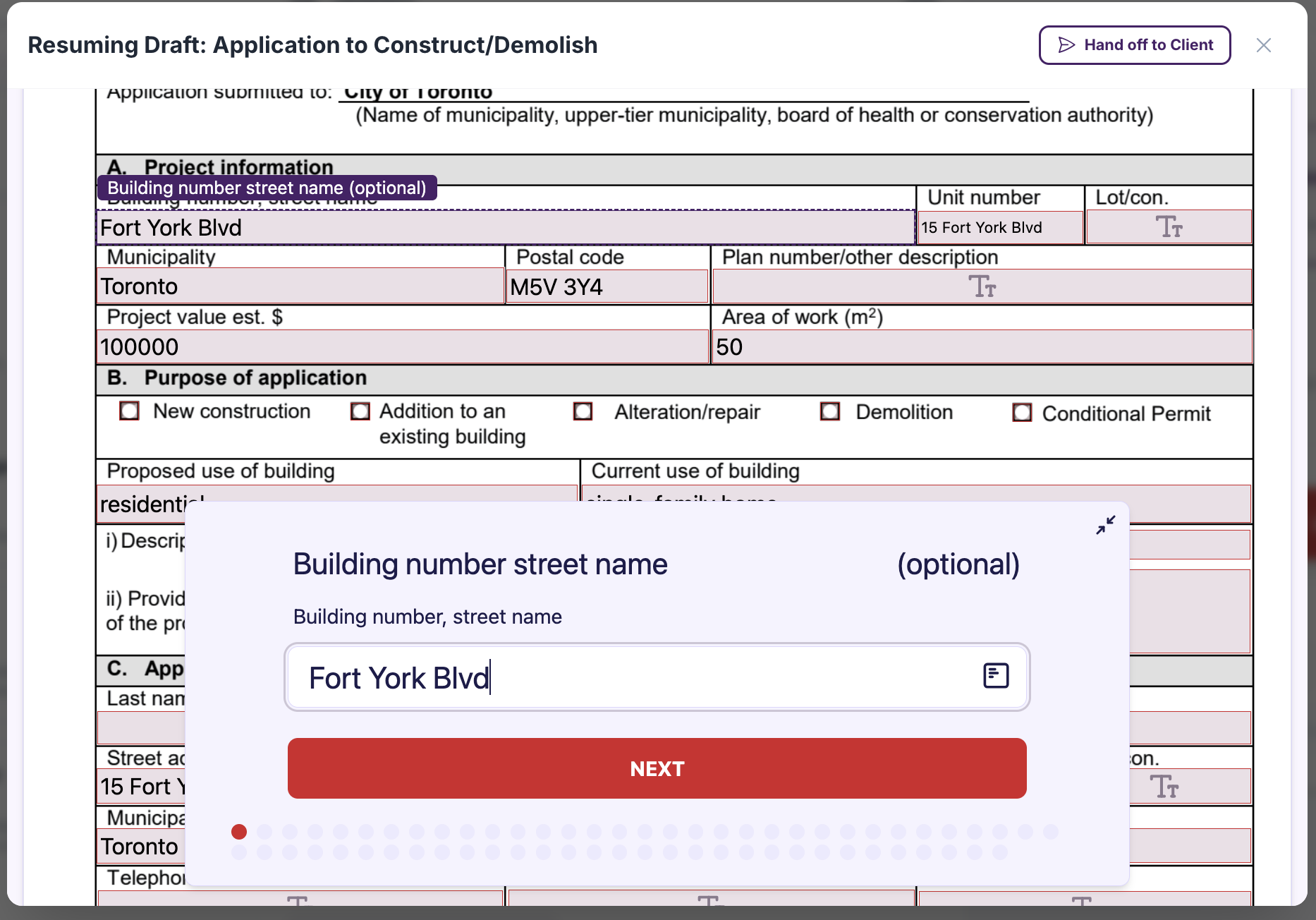
Forms
Auto-filled by machine learning, completed manually, or uploaded — then sent for signature.
Simple, transparent pricing
All features included with every plan. Pick the duration that works for you.
Real human support
When a tricky application needs a person, our permit specialists pick up where the machine learning leaves off.
Coverage in any city or town
Up-to-date requirements for the municipality you're building in — Toronto, Mississauga, or any other city or town — plus City of Toronto business licences.
Always-current forms
We track municipal form changes so you never submit an outdated document.
Secure & private
Your project data is encrypted and used only to prepare your application — never shared.
Works on any device
Start an intake on-site from your phone and finish on desktop later. Fully responsive.
Faster approvals
Clean, complete, validated submissions mean fewer rejections and quicker city turnaround.